Every Task, in One Place
In FoldNotes, a task lives where you thought of it: in the meeting note, the chapter it belongs to, this morning’s daily note. That doesn’t change. What’s new is one place to see them all, on your Mac, iPhone, iPad and iPhone Duo.
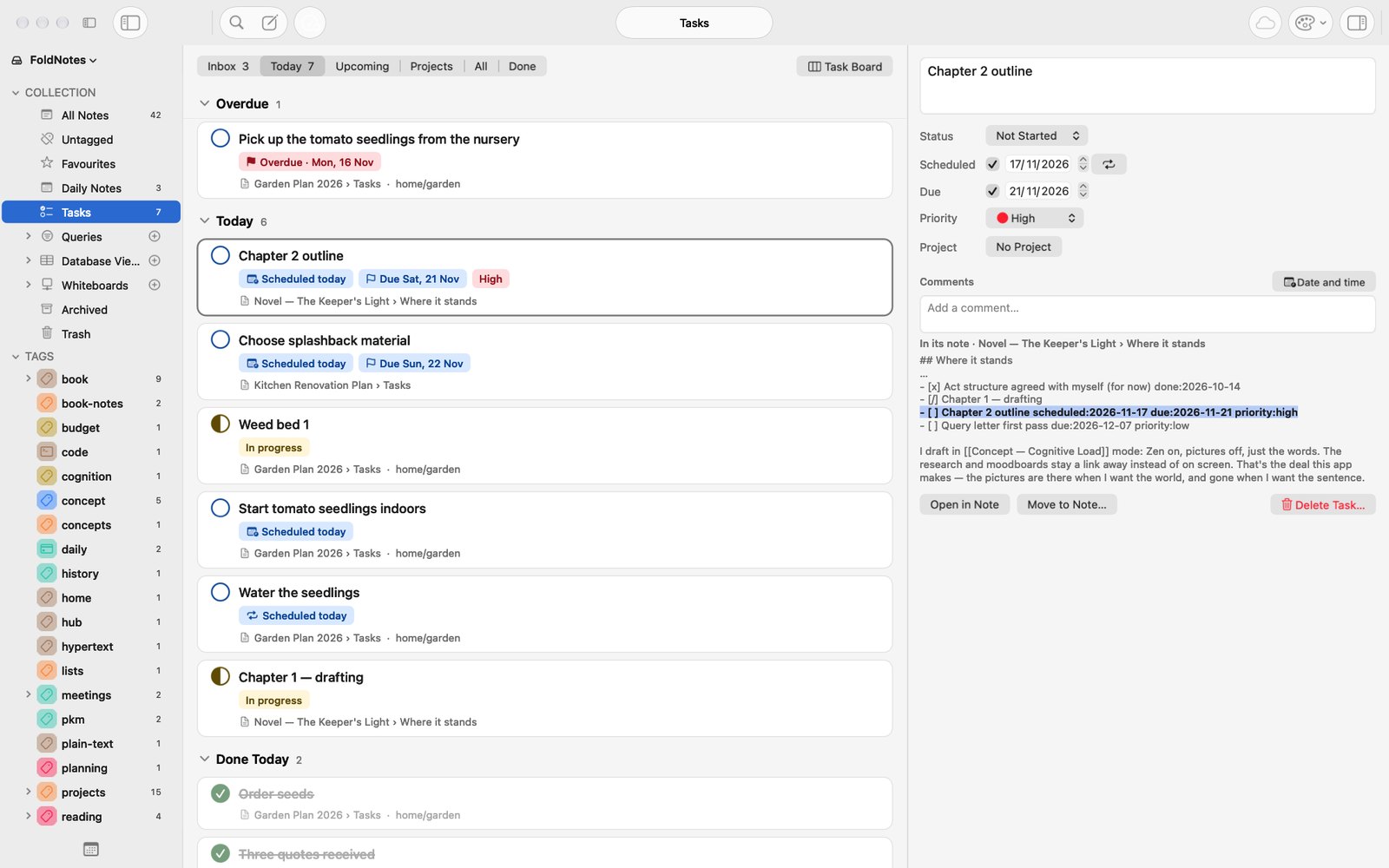
The Tasks view
Click Tasks in the Library and every task from every note is gathered into six tabs: Inbox, Today, Upcoming, Projects, All and Done. Nothing moves. Each task stays on its own line in its own note, as plain Markdown. Tick it, change its date or rename it, and the change goes straight back to that line.
Today shows anything overdue, anything due today and anything you scheduled for today. Upcoming lays out the days ahead.
New and much requested: a scheduled date
A task can now have two dates. The due date is the deadline. The scheduled date is the day you mean to work on it. A report due Friday can be scheduled for Wednesday: it shows on Today on Wednesday, and turns red only if it’s still open at 5 PM on Friday.
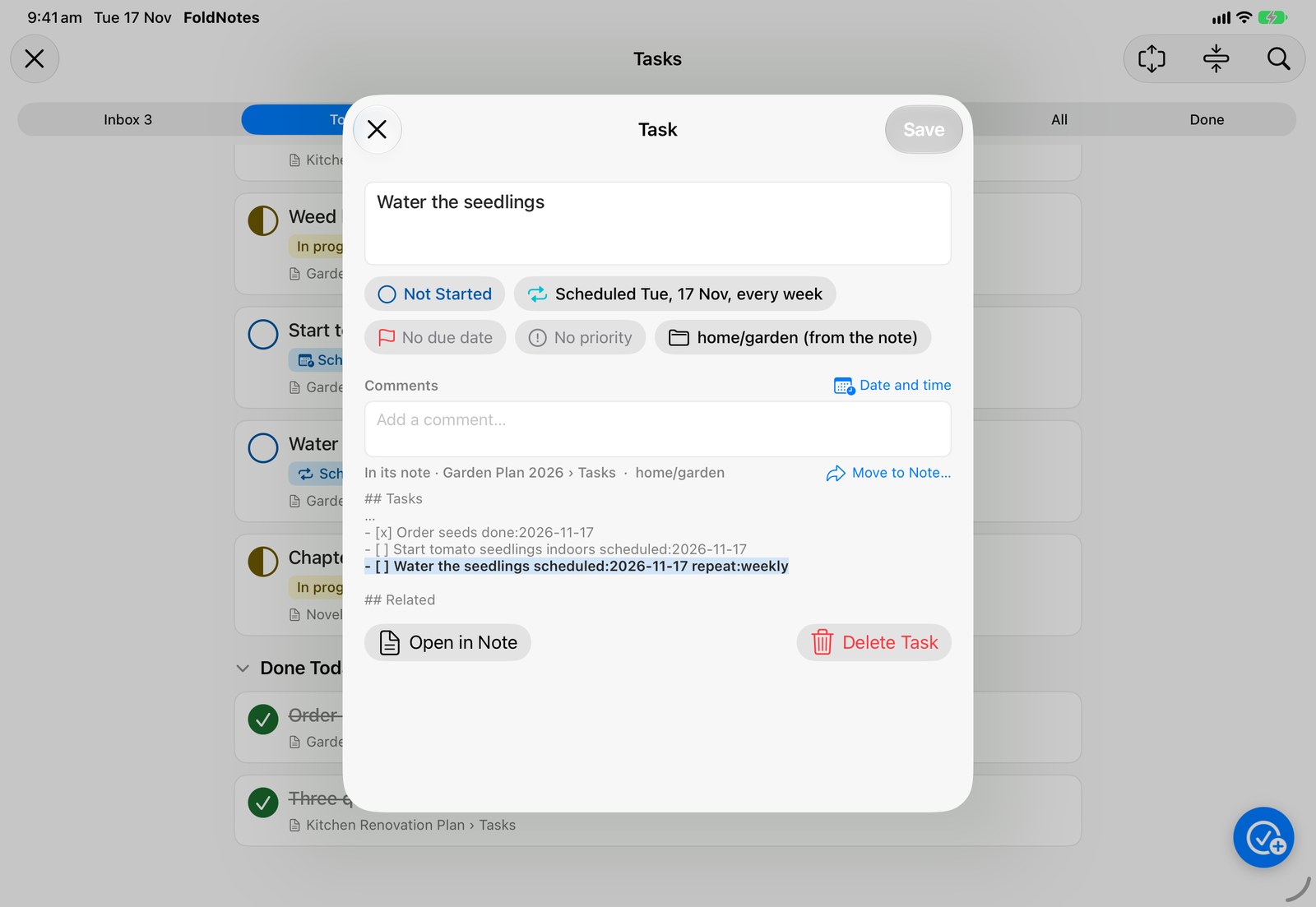
Give a task a repeat, such as every week or the second Thursday of the month, and when you tick it done, the next one appears on the line below with its dates moved on.
Add a task from anywhere
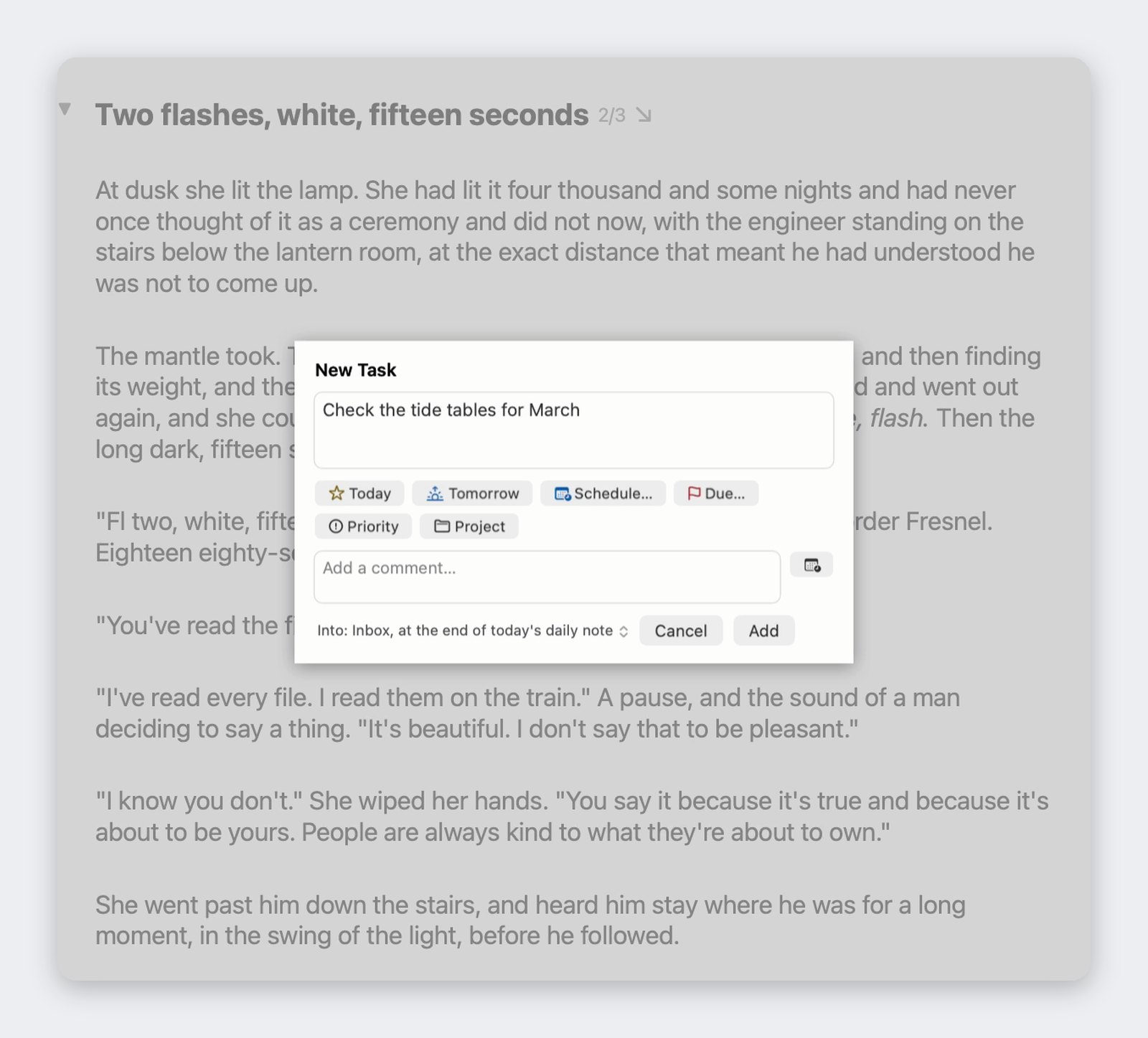
New Task is always to hand, wherever you are in FoldNotes, even in the middle of writing: the New Task button or Control-Command-N on the Mac, and on iPhone and iPad the round button in the Tasks view or the New Note button’s touch-and-hold menu. Unless you choose another note, the task goes into today’s daily note, and until you give it a project or a date, it waits in your Inbox.
Plan the week
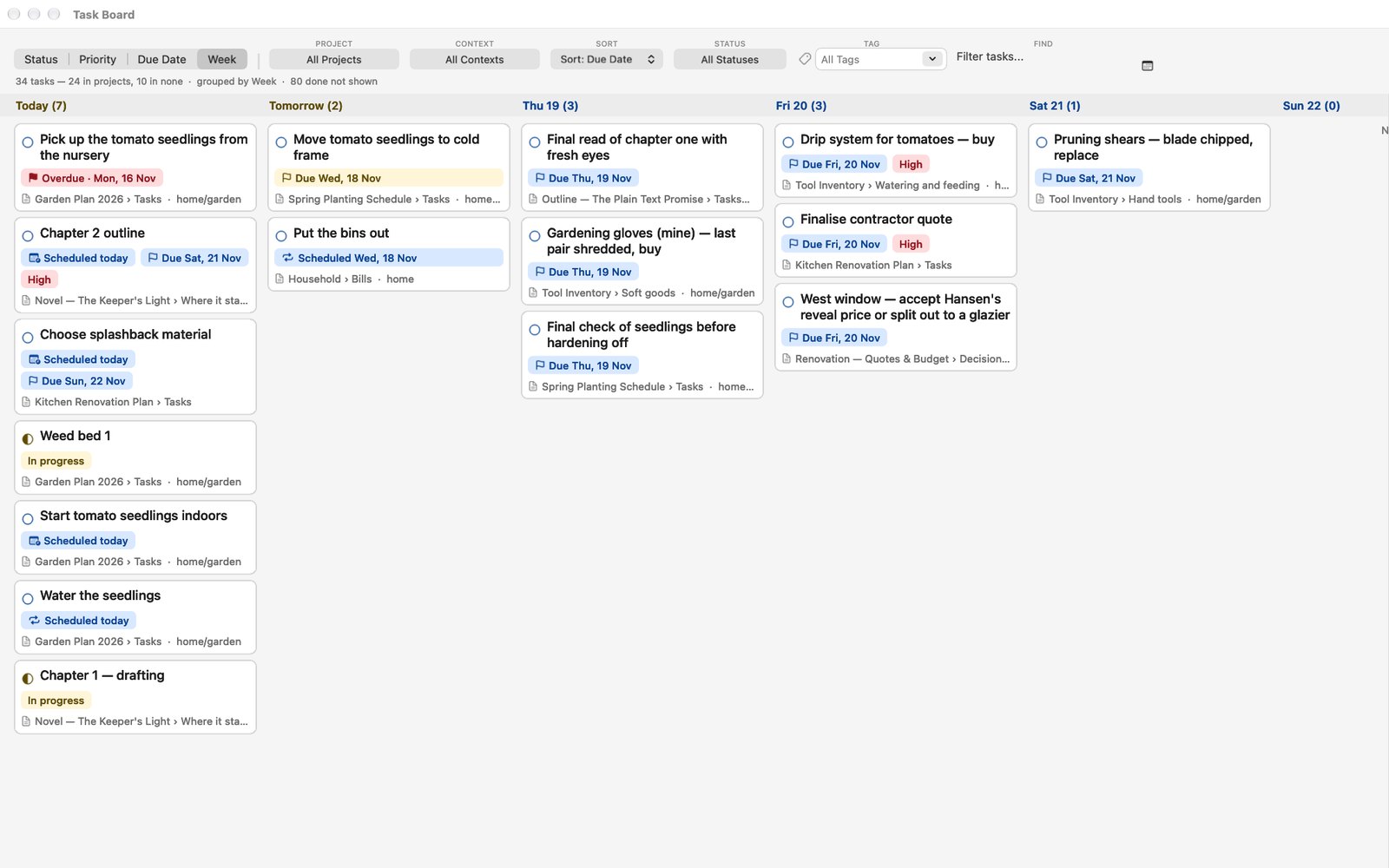
On the Mac, the Task Board gains a Week view. Drag a card to a day and that’s its scheduled date.
On every device
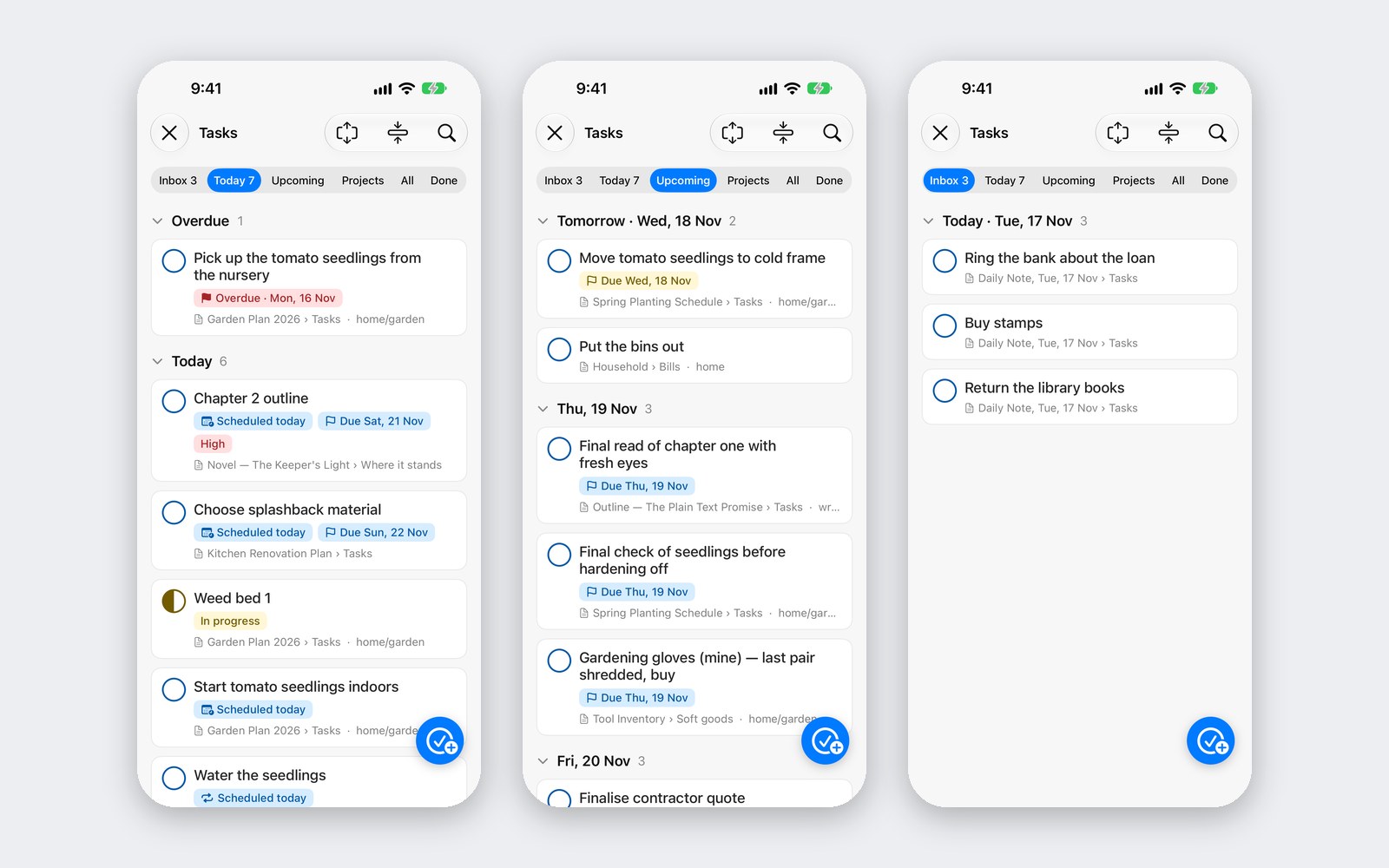
The same rules decide the tabs everywhere, so a task is in the same place on your Mac as on your phone. On iPhone and iPad, swipe a task right for Done, or left for Today or Tomorrow. On an iPhone Duo’s front screen, the Tasks view fills the screen.
This release also brings drawing to FoldNotes on the Mac, and Apple’s full set of drawing tools to iPhone and iPad, with macOS 26 or iOS 26.
The Task Management page tells the whole story, the release notes have everything else, and the help pages show each tab in detail. Every note is still a plain Markdown file in your own folder.
Download FoldNotes for Mac and try every feature free for 7 days. FoldNotes for iPhone and iPad is free on the App Store.