Pictures in the Editor, and a Bike Library in Your Pocket
Today’s updates — the latest Mac build, and FoldNotes for iOS 1.2.0 — ship the two biggest things we have built since release, and they belong together: your pictures and files are now first-class citizens of the editor, and FoldNotes is now a full editor for Bike outlines on the Mac, iPhone and iPad — attachments included.
Pictures where you write
FoldNotes has always rendered your images in preview and export. Now they’re in front of you as you write: an image reference draws the picture directly beneath it, so a note reads as a document while you work on it rather than as a list of filenames. The markdown stays visible and editable above each picture — nothing is hidden, nothing has to be clicked to be changed.
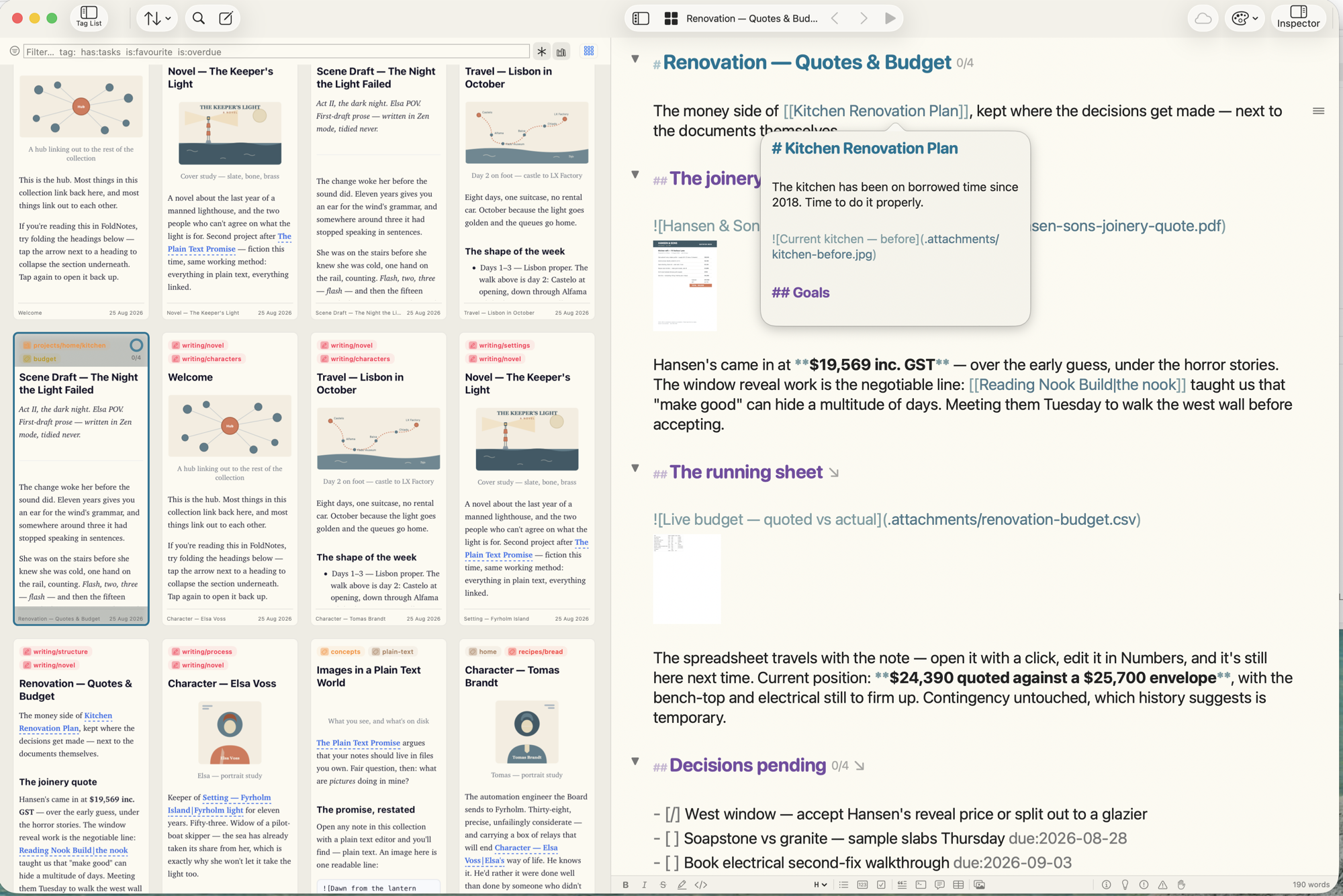
- Size a picture by writing it —
— or set one tohidewithout deleting it. - Attach documents, not just pictures. A note can carry a PDF, a Word or Excel file, a Pages document, a CSV, an EPUB, a voice memo. Each shows a real preview — a PDF’s first page, a spreadsheet’s grid — and a click opens Quick Look.
- Drawings from iPhone and iPad appear alongside everything else, strokes preserved for the day Apple brings the canvas to the Mac.
- Everything you share takes its files with it. Exported HTML is a single self-contained file that works anywhere; emailed notes carry their pictures and documents as real attachments; the new HTML Folder export writes a page plus an assets folder when you want the originals to travel too.
And if you’d rather write in plain text — all of this is a display choice, not a change to your files. One setting turns it off, and notes written either way are identical on disk.
Bike, everywhere — and attachments too
FoldNotes edits Bike outlines natively, in place: you work on the original .bike file and save straight back to it. Nothing is imported, nothing gains front matter — a FoldNotes save never destroys something another tool put in the file, whether or not FoldNotes understands it.
This update takes that a lot further, on both platforms. (The features below track Bike 2, currently in beta — the released Bike 1 has no packages, statuses, or row attributes. Editing plain .bike outlines works with any Bike.)
- Bike packages. When you drag a picture into Bike, it converts the outline into a
.bikedpackage — the document with its attachments inside. FoldNotes now opens, edits and saves those like any other Bike file: the pictures render in the editor, documents show as thumbnails, Quick Look works, and you can add attachments by drag, paste or picker — always copied into the package, so it stays complete and portable. You can create a fresh.biked, and export any FoldNotes note as one, pictures and documents carried inside. - Bike’s new task statuses. Bike 2 tracks tasks as todo / started / done / canceled, and FoldNotes’ four checkbox states map onto them exactly — cycle a checkbox and FoldNotes writes Bike’s own
@status. Older@done-style files are read too, and FoldNotes never migrates a file’s format — that’s Bike’s call to offer. - Row attributes in plain sight. A row’s priority, due date, estimate, coloured flag and status now appear as small badges after its text, just as Bike shows them — and the Row Attributes editor offers every Bike attribute out of the box, with Bike’s own value sets, a date calendar, and your document’s own values suggested for custom attributes.
The standout this release is: iOS
Bike has no iPhone or iPad app (not yet). FoldNotes for iOS is free — and from version 1.2.0 it turns your folder of Bike files into a library. Point it at your Bike folder in iCloud Drive once, and:
- Your outlines appear in the document list, newest first, ready to open and edit in place — folding, focus, and all.
- Create new outlines on the go — a
.bike, or a.bikedif it will carry attachments. - Search across the whole folder, with a scope switch to cover your notes, your Bike files, or both.
- Preview any outline and share it as a PDF or as an email.
.bikedattachments render on iOS exactly as on the Mac — and you can add to them from your iPhone.
Edit an outline on the train; it’s waiting in Bike when you sit down at the Mac. That’s the whole idea.
The full documentation is at Editing Bike Files in FoldNotes.
Availability
The Mac update is available now — Check for Updates in the app. FoldNotes for iOS 1.2.0 is on the App Store now — free.
As ever: if you try the Bike support against your own outlines, I’d love to hear what you find — @[email protected].