Interactive Whiteboards
Most whiteboards are for sticky notes. You copy a thought onto a card, and from then on the card and your notes drift apart.
On a FoldNotes whiteboard, the cards are your notes.
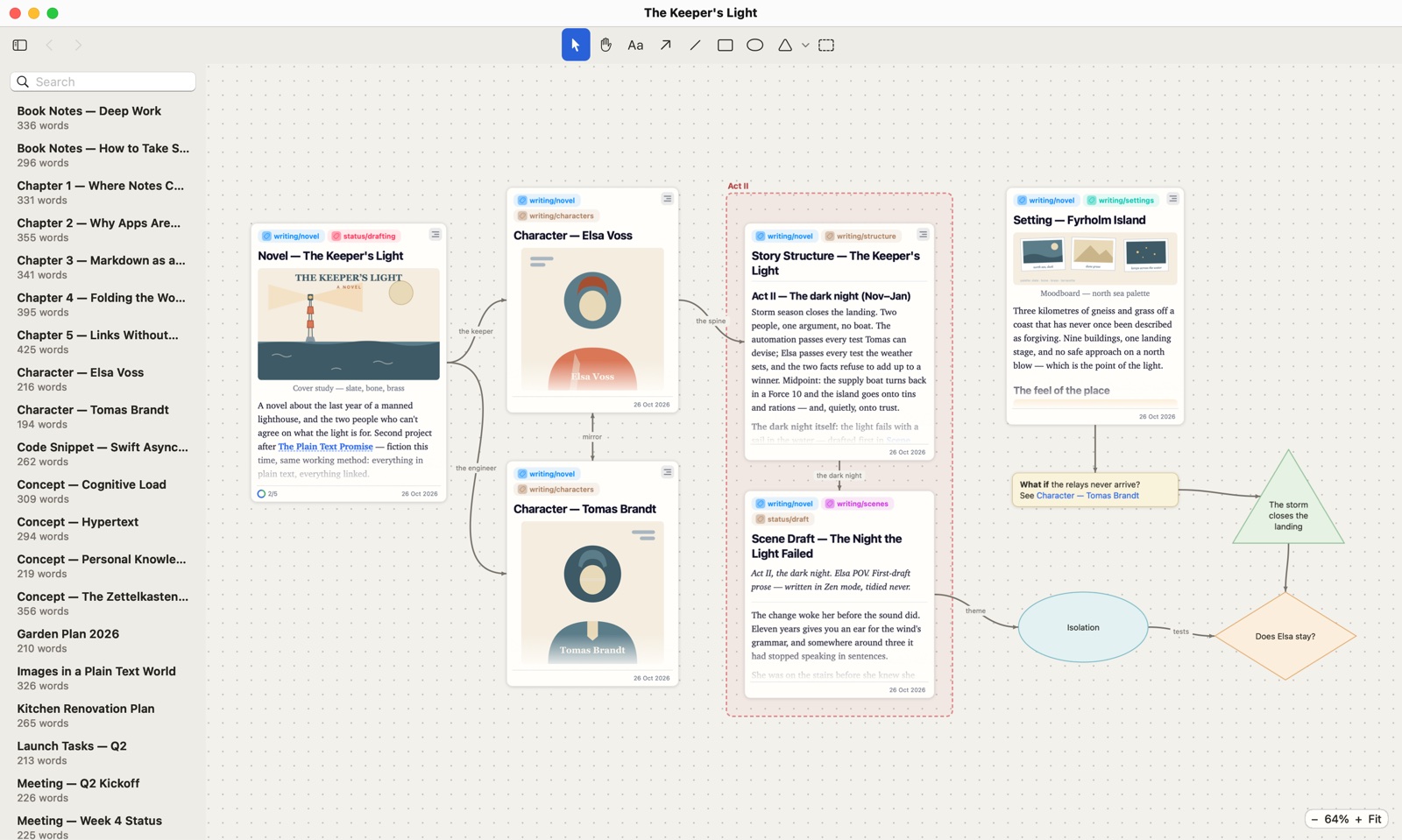
Cards that are your notes
Drag a note onto a board and it becomes a card that looks the way it does in the gallery: its tags along the top, its words and pictures as the Preview sets them, its tasks and date at the foot. It isn’t a copy. Change the note, and the card follows.
And you can work with a card right where it sits:
- Fold a section to make room, and open it again.
- Scroll inside a card to read the whole note.
- Jump to any section from the card’s outline. The board remembers where each card is, so one note can sit on a board twice, showing two different sections.
- Double-click a card to open the note.
Everything around them
Connect cards with arrows and lines, and give them labels and colours. Add a text box for a passing thought, and when it grows into an idea, turn it into a note. There are nine shapes, from diamonds for decisions to stars for the big moments, and arrows meet the shapes themselves. A frame gathers a group, like the second act of a novel, and moves with everything inside it.
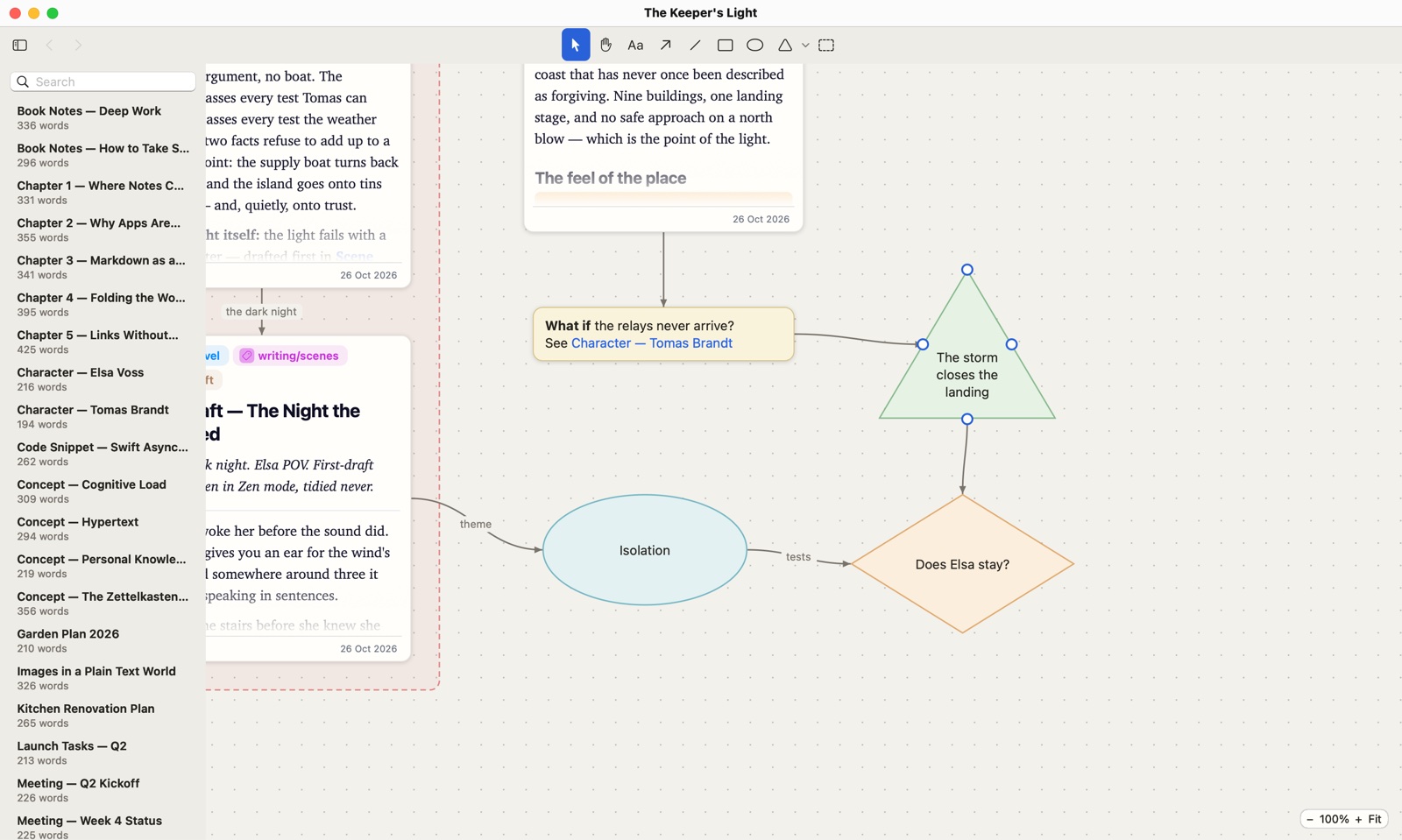
Boards that lead to boards
A big project can have one board as its map and another for each part. Drop a board onto another, or type its name in double brackets in a text box, then double-click to go there. Back and Forward bring you home.
Yours, in an open format
Every whiteboard is a plain JSON Canvas file beside your notes. JSON Canvas is an open format, so the board stays yours, and a board made in another app opens in FoldNotes. Your notes are never changed by being on a board.
On your iPad and iPhone
Boards are made in FoldNotes for Mac, and they sync through iCloud like your notes. On iPad and an open iPhone Duo you can work on them, and on iPhone you can look around a board and open its notes. FoldNotes for iPhone and iPad also comes with three sample boards to try, under Whiteboards › Samples. Change anything on them on iPad and an open Duo: nothing is saved, so each one starts fresh.
What’s next
We’re just getting started. We plan to add queries, so a card can show what a query finds and keep it up to date, and in-place task updating, so you can tick off or change a task right on its card without opening the note.
Have an idea for whiteboards? Tell us at [email protected].
See how whiteboards work, or download FoldNotes for Mac and try every feature free for 7 days.