Write in Markdown, Read a Finished Page
Markdown is the best way we know to keep notes you own: plain text, in your own folder, readable by any app for as long as there are computers. Its marks have always been the price. Now FoldNotes lets you stop paying it.
Hide or show Markdown: it’s now your choice
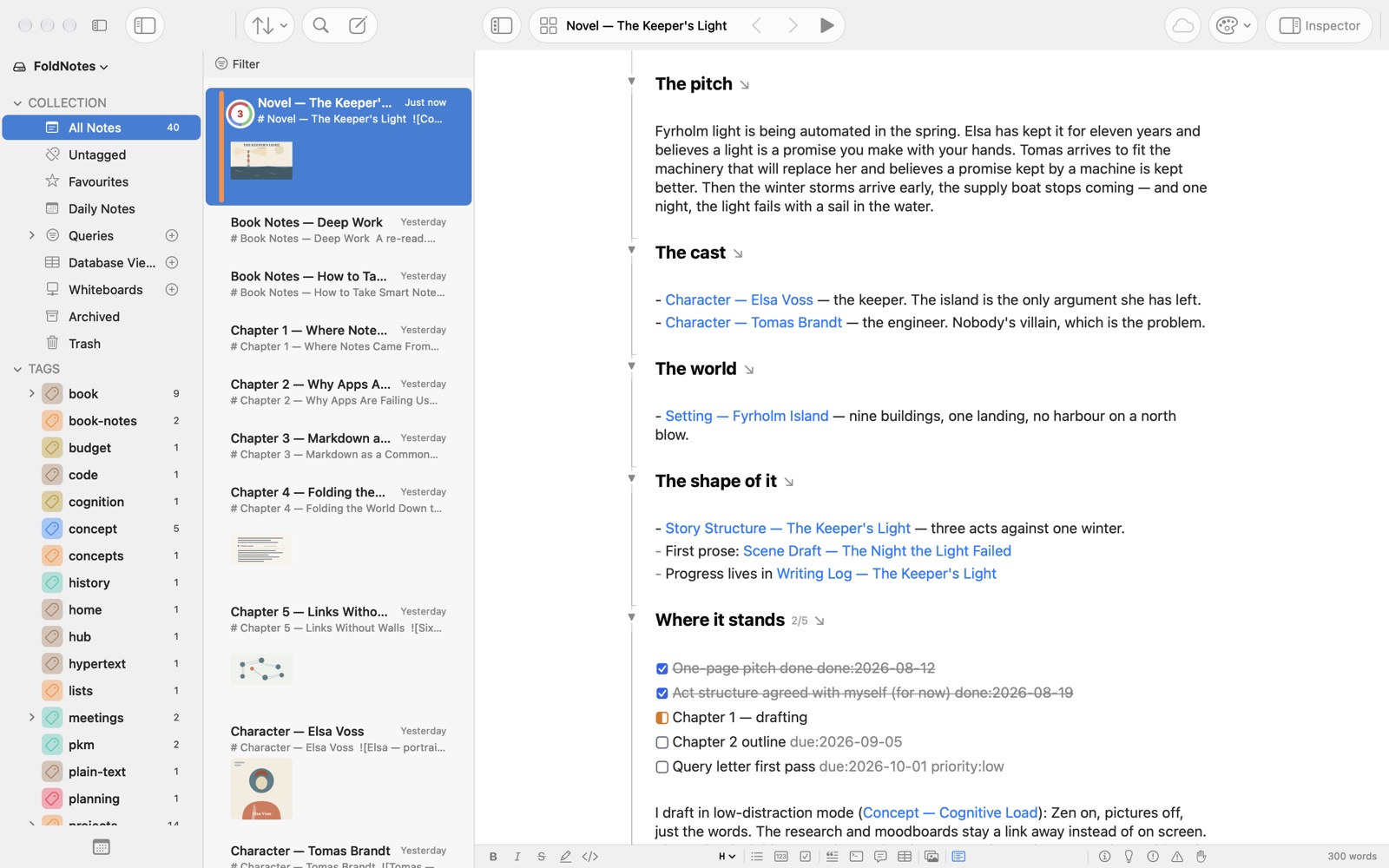
While you write, the marks step aside. Headings, bold, italic, links and quotes show as they look. A task is a square you can tick, and a picture’s reference reads as its caption.
Put your cursor on something and its marks come back, right there and nowhere else, so nothing jumps around while you type. Move on, and they go again.
Nothing in your notes changes. Every mark is still in the file, so your notes open exactly as before in any other app. If you’d rather see every mark, Focus › Show Markdown brings them all back on the Mac, and Show Markdown in Settings does it on iPhone and iPad.
Tables, neat
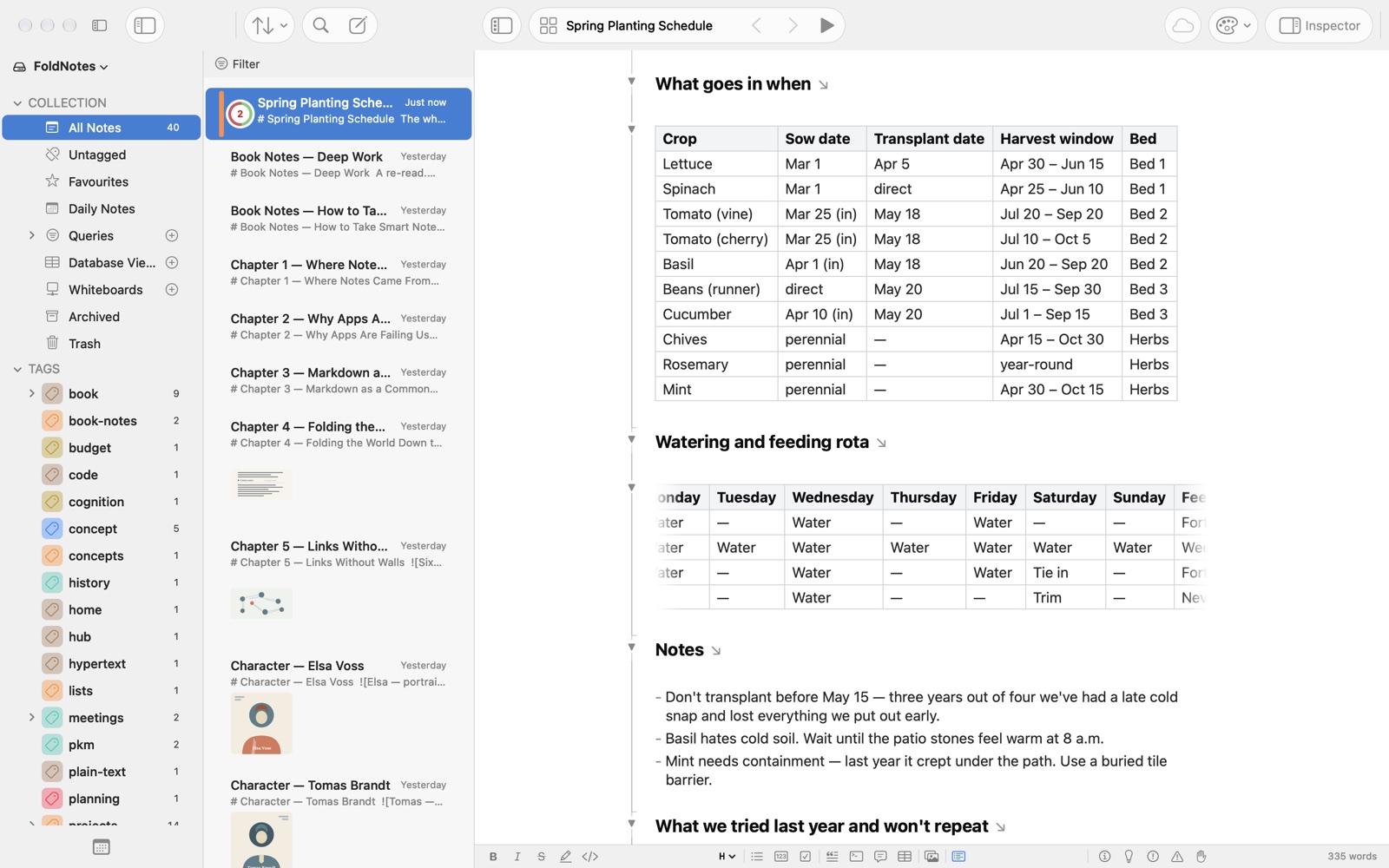
A table no longer looks like a fence of pipes. It draws as a neat grid, with a shaded header and columns sized to their words, so a word is never cut in two.
When a table is wider than the page, swipe sideways over it with two fingers, or drag it on iPhone and iPad, and it glides, fading at the edge where there’s more. A table acts as one piece: click or tap it to select it, copy it whole, or double-click or double-tap it to change its cells in the table editor.
Code in colour
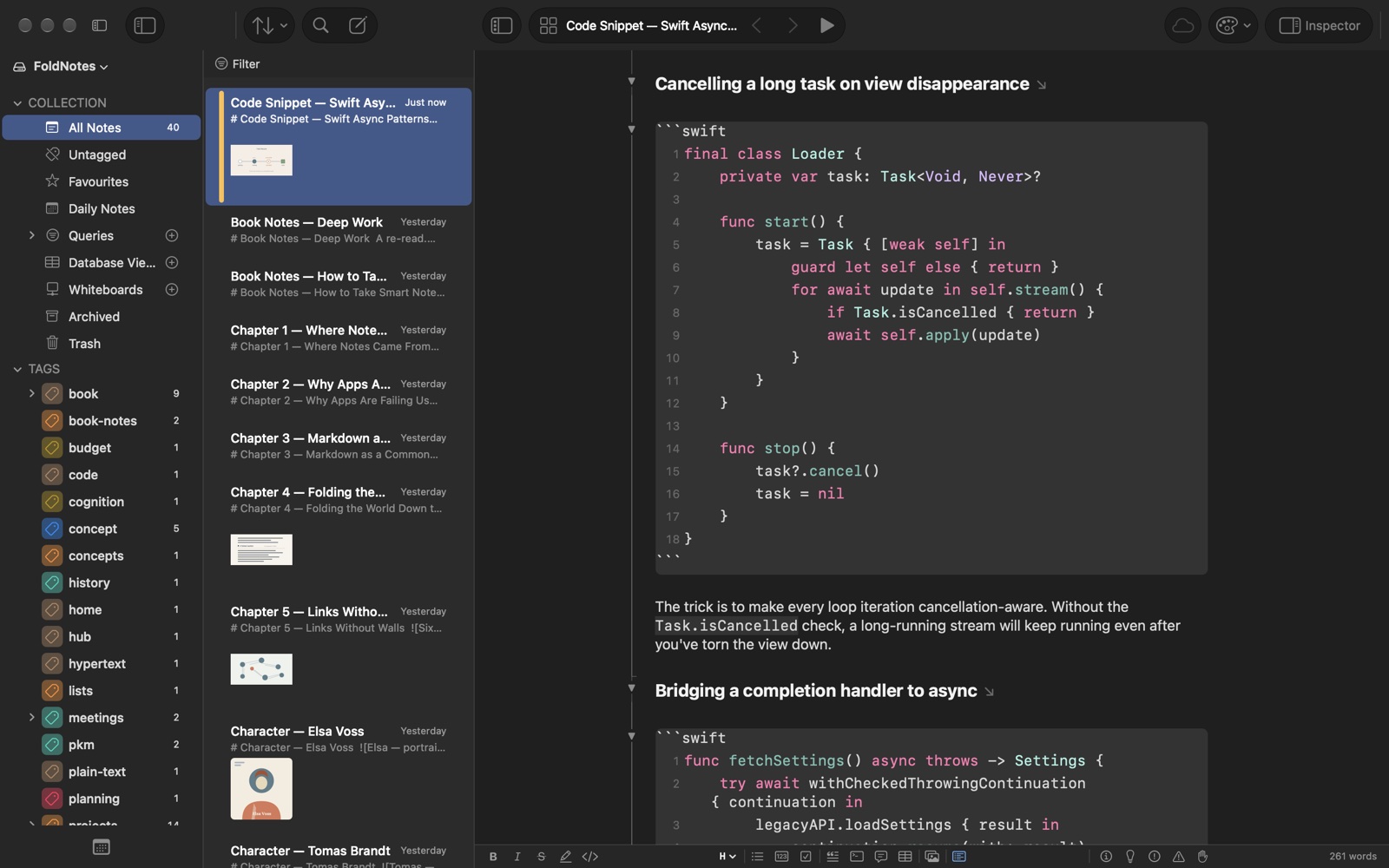
Name a language after a code block’s opening backticks, and your code takes its colours as you type, in the same colours as the Preview, light or dark to suit your theme. Swift, Python, JavaScript, HTML, SQL and more than twenty other languages.
Interactive Whiteboards
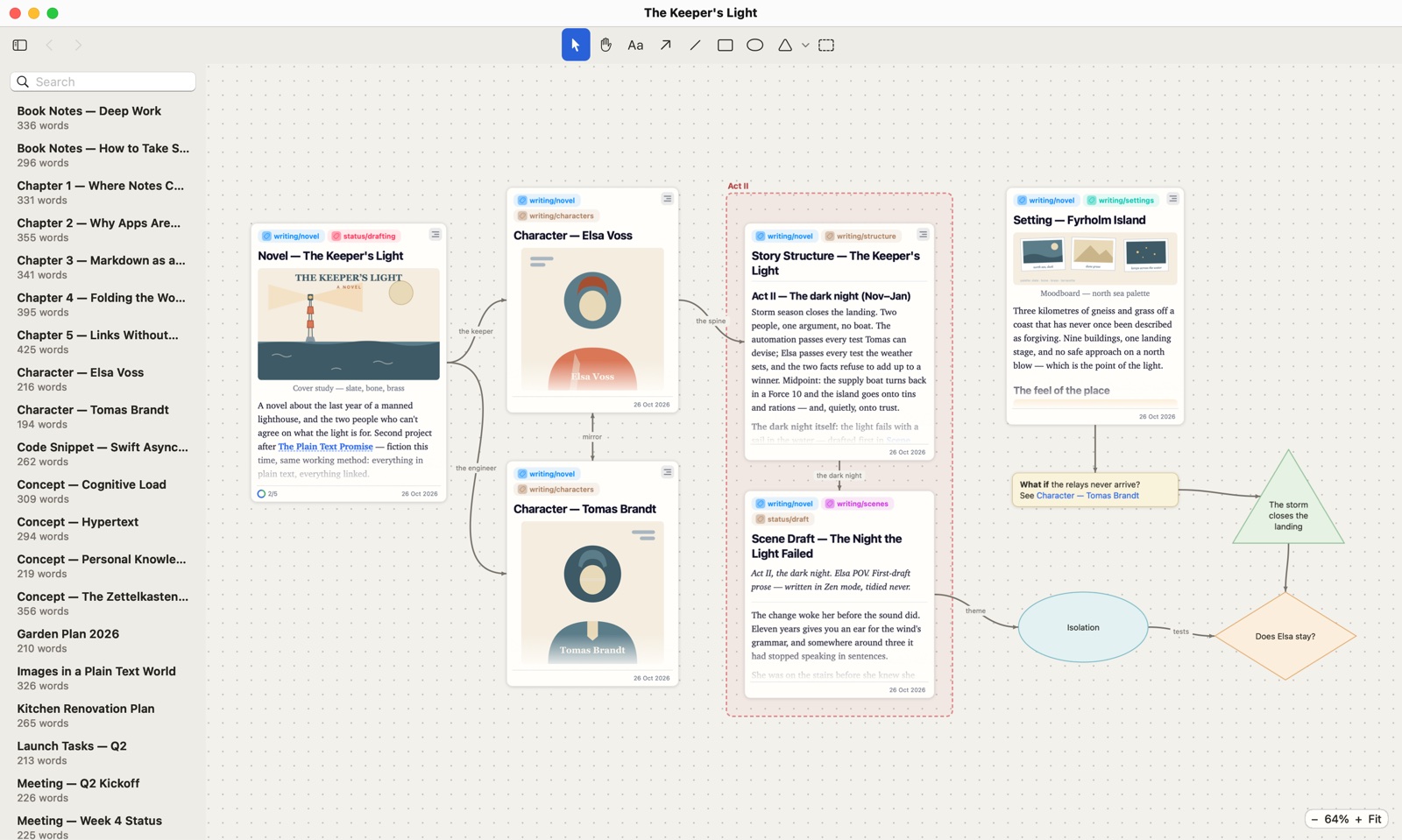
Some thinking needs room. A whiteboard lays your notes out on a canvas, where you can move them around, connect them with labelled arrows, and draw shapes and frames around them.
Each card is the note itself, with its pictures and tasks, and you can fold it, scroll it and jump around inside it. Every board is an open JSON Canvas file beside your notes. Make one on the Mac, then work on it on your iPad or look around it on your iPhone. More about whiteboards.
And the details
Focus Mode now keeps tables bright, and a whole code block while you’re in it, folding no longer moves the page with typewriter scrolling on, and there’s a run of smaller fixes. The release notes have them all.
Every note is still a plain Markdown file in your own folder.
Download FoldNotes for Mac and try every feature free for 7 days. FoldNotes for iPhone and iPad is free on the App Store.