FoldNotes for PKM
You’ve tried the apps that promised everything and shipped a Chromium window. You’ve tried the ones that promised plain text and gave you a markdown editor with three buttons. You’ve tried the ones that promised a knowledge graph and asked you to install seventeen plugins to get there.
FoldNotes is a native Mac and iOS app written in Swift. Your notes are real .md files on your filesystem. The database is built in. The graph is built in. The task board is built in. There are no plugins because there’s nothing missing.
Native, fast, no Electron
FoldNotes is a native AppKit app on Mac and a native UIKit app on iOS. Every keystroke goes through the same text rendering pipeline Pages and TextEdit use. No web view layer, no JavaScript bridge, no startup beachball.
The practical effect: 300,000-word documents open instantly and edit without lag. Folding, hoisting, syntax rendering, and live word counts all run at native speed even on collections with thousands of notes.
Plain Markdown files in iCloud Drive
Every note is a real .md file under ~/Library/Mobile Documents/iCloud~com~foldnotes/Documents/. Open them in BBEdit, pipe them through pandoc, version them in git, back them up to a USB drive. The choice of editor is forever yours.
A small YAML front matter block stores the metadata (ID, tags, task UUIDs) so the rest of the file is plain markdown an external editor can read and write without confusion.
Wiki-links, backlinks, tags
- Type
[[Note Title]]to link between notes. Click to navigate. The references panel shows everything that points at the current note. #tagswork inline anywhere, including nested paths like#project/active/q3. The sidebar collects them automatically and you can colour them, icon them, and filter by them.- The Collection Graph (Cmd+Shift+G) shows the whole network as a force-directed graph. Clusters emerge from the way you actually link your notes.
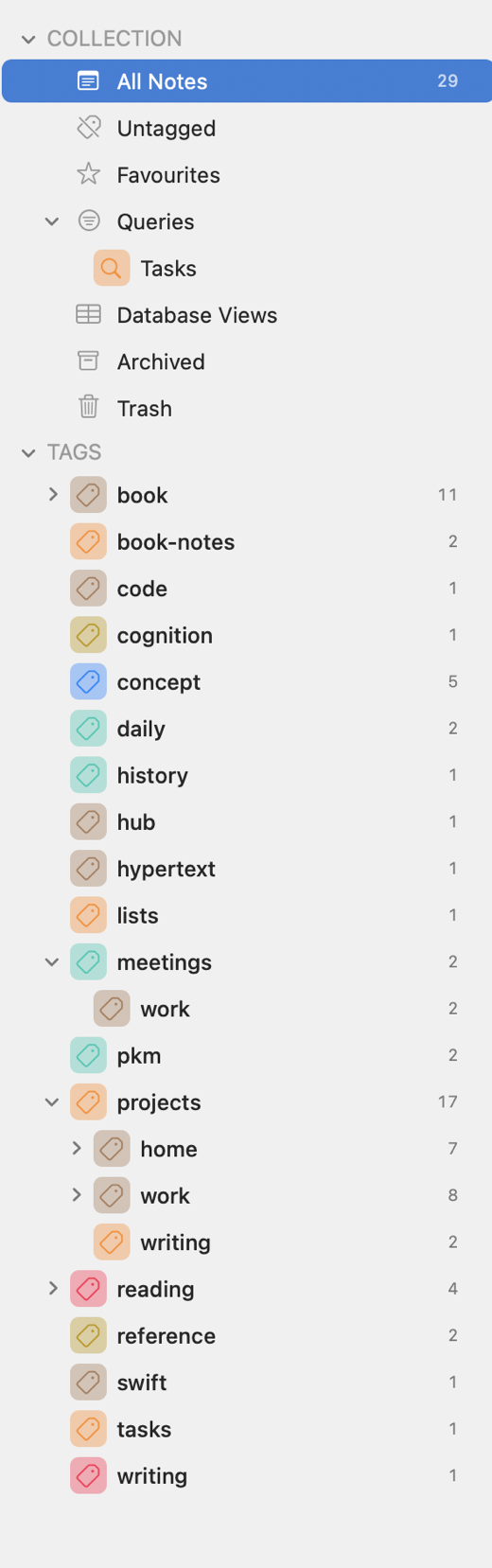
#tags collect in the sidebar automatically — colour them, icon them, filter by them.Folding and Hoisting
The defining features. Collapse any heading or indented block with a click. Hoist a single section so the rest of the document literally disappears from the editor, the outline, and the word count — useful when you need to think about one node in your knowledge tree without the rest crowding it. Folding extends to indented lists, code blocks, and tables, not just headings.
For long-form research notes, this is the difference between scrolling endlessly and seeing exactly what you’re working on.
A database built in
The Database Views feature gives you table-style projections of your notes — filter by tag, sort by date, group by status, add computed columns. It runs against the same plain markdown files you write into; no separate database to import from or export back to.
Build a “current research threads” view that filters notes tagged #research with active tasks, sorted by last-modified. Save it. Run it from the sidebar like a Smart Folder. Edit any cell and the underlying .md file updates immediately.
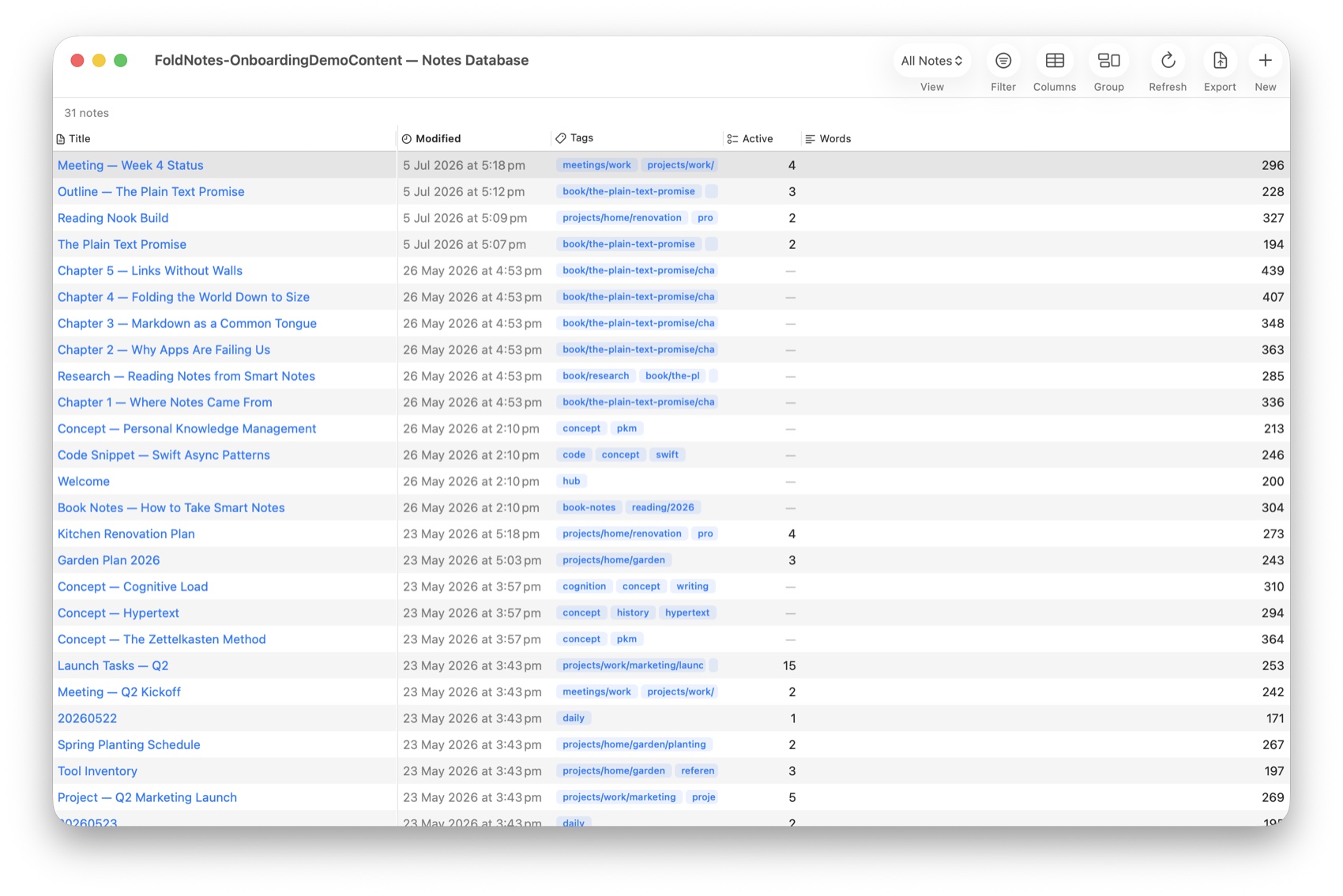
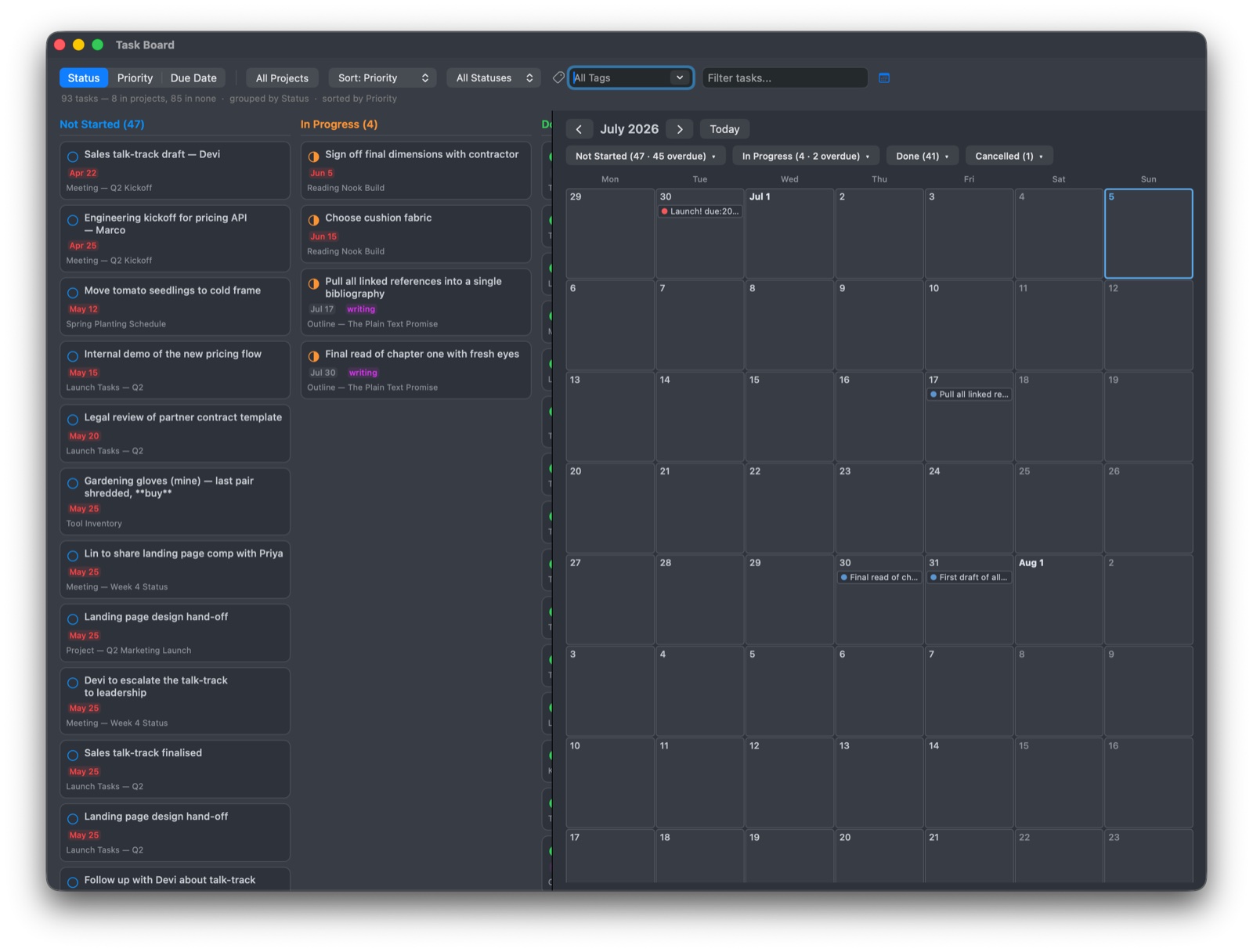
Task board, kanban, and gallery view macOS
- The Task Board pulls every task across every note into a kanban grouped by status, priority, due date, or project. Drag a task between columns and the source line gets updated in place.
- Gallery View lays your notes out as visual cards — useful for browsing a research collection visually instead of scrolling a list. Filter by tag, group by project, sort by date.
CLI and MCP
fn— a real command line tool (macOS, Direct edition) for searching, creating, editing, and querying your notes. Pipe it into shell scripts, cron jobs, Alfred workflows, anything. Search supports regex. Tasks can be added, completed, and queried from the terminal.- MCP server (Model Context Protocol) — lets AI assistants like Claude read and work with your notes, if you set it up. The server runs on your Mac; when a cloud assistant reads a note, that note’s text goes to the assistant’s provider as part of your conversation, and with a model on your own Mac it stays there. See FoldNotes and AI.
Sync to iPhone and iPad
iCloud sync is built on Apple’s own document syncing — the same plumbing Pages, Numbers, and Keynote use. Notes, tasks, tags, images, daily notes, saved searches, and manual sort orders all propagate to every device automatically.
The iOS app is free and ships on iPhone and iPad. It handles editing, folding, tasks, backlinks, focus modes, and (on iPad) regex search with a saved-pattern library. iPhone keeps the simpler Spotlight-style search.
Import and export
Import
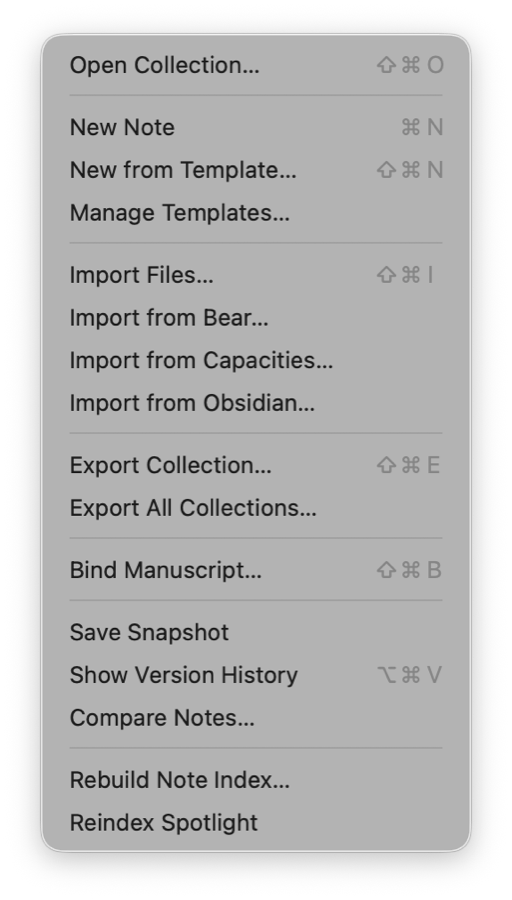
- Obsidian — drag a vault into the FoldNotes Import dialog and it brings the notes, attachments, tags, and folder structure across.
[[wiki-links]]keep working. - Bear — imports notes, tags, and image attachments
- Capacities — imports the database into FoldNotes’ own database-views feature
- Any directory of
.mdfiles
Export
- PDF, HTML, RTF, DOCX, EPUB, TextBundle — single-note exports
- Bike outliner (
.bike) — for handoff to the macOS outliner - Entire collection as a ZIP
- Database views as CSV
- Email — share-sheet integration on Mac and iOS
Preview your markdown rendered as HTML inside the app at any time; export from the preview window directly.
A few features you’ll appreciate immediately
- Regex search with a saved-pattern library (Mac and iPad) — name your hard-won patterns and reload them with one click
- Manual Sort per tag — drag notes into the order that matters for the current research thread; each tag remembers its own arrangement
- Daily notes with a calendar in the sidebar — quick capture and easy navigation through your journal
- Themes — light, dark, and several explicit palettes; no CSS to fight with
- Snapshots (Mac) — name versions of a note at meaningful milestones and restore them later via the Version Browser
Plain text, in iCloud, forever yours
Every feature works against the same plain Markdown files. There is no proprietary database to migrate out of, no plugin ecosystem to maintain, no breaking changes when the developer pivots. The day you want a different tool, your knowledge base is already on your filesystem in the most portable format text can be.
Start building

Free on iOS and iPadOS. Mac is paid — lifetime licence or subscription, your choice. Download and go — there’s no FoldNotes account to create. iCloud (which you already have) handles syncing across all your devices automatically.